


Professional Git integration for Acode Editor
Features • Installation • Requirements • API • Contributing
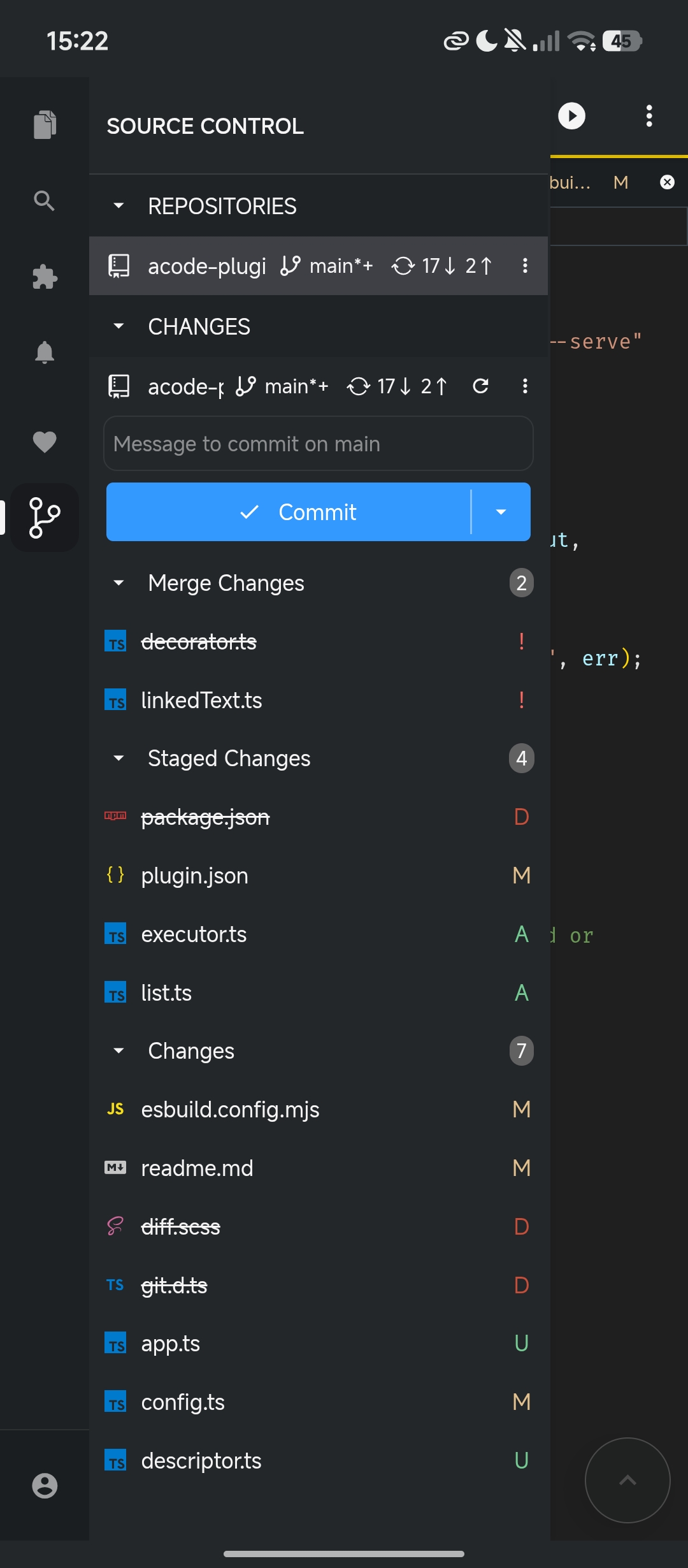
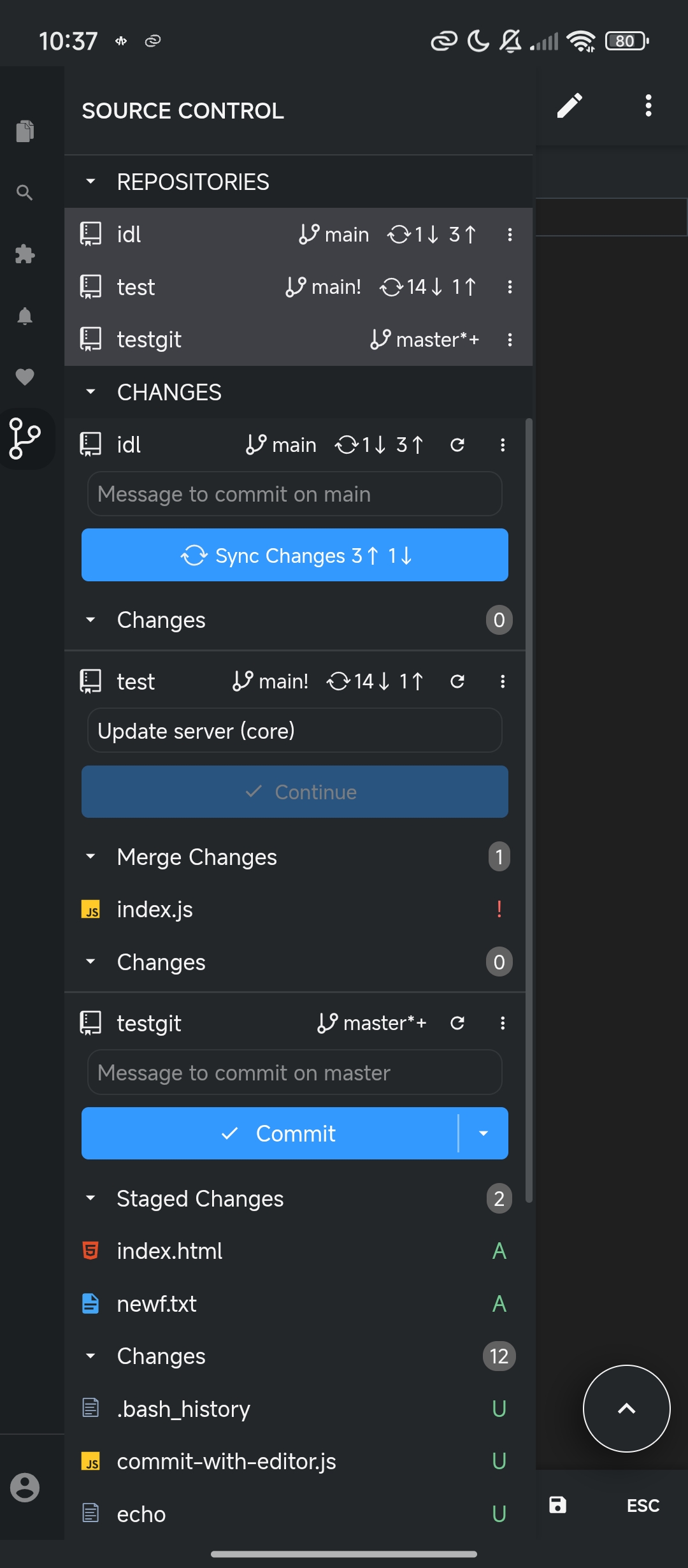
Git SCM v2 is a complete rewrite that communicates directly with the native Git binary installed on your system, providing full Git compatibility. This plugin executes real Git commands through Acode's Executor API, ensuring 100% Git compatibility. Unlike JavaScript-based solutions (isomorphic-git), this plugin communicates directly with your system Git installation for full compatibility and optimal performance.
Git must be installed on your system and Acode latest version with Terminal and Executor API support:
apk add gitAlpine Linux ships with Dropbear SSH by default, which conflicts with OpenSSH and causes Git authentication issues. This plugin requires OpenSSH for full compatibility.
After installation, generate and configure your SSH keys normally.
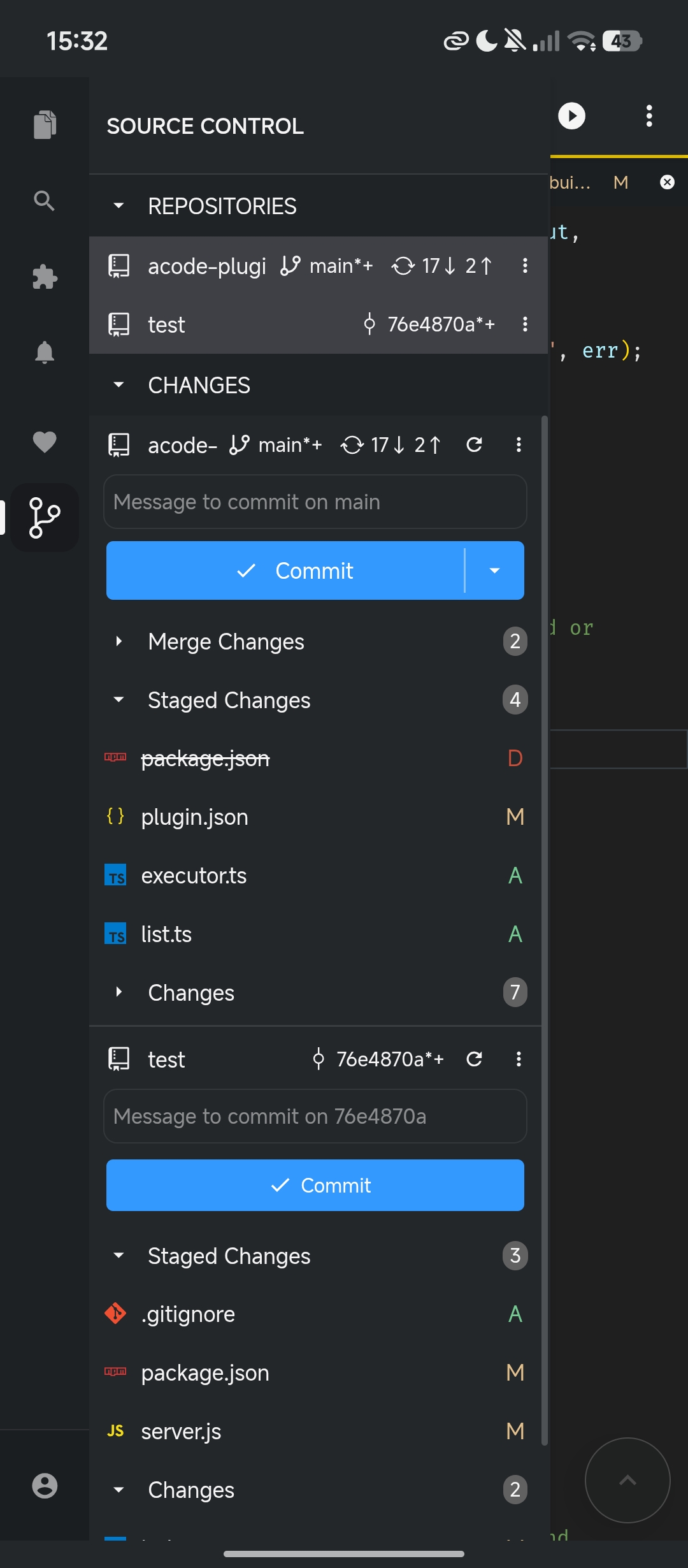
- Repository Management: Init, Clone, Multi-repository support
- Staging & Commits: Stage/unstage files, commit, amend commits, undo commits
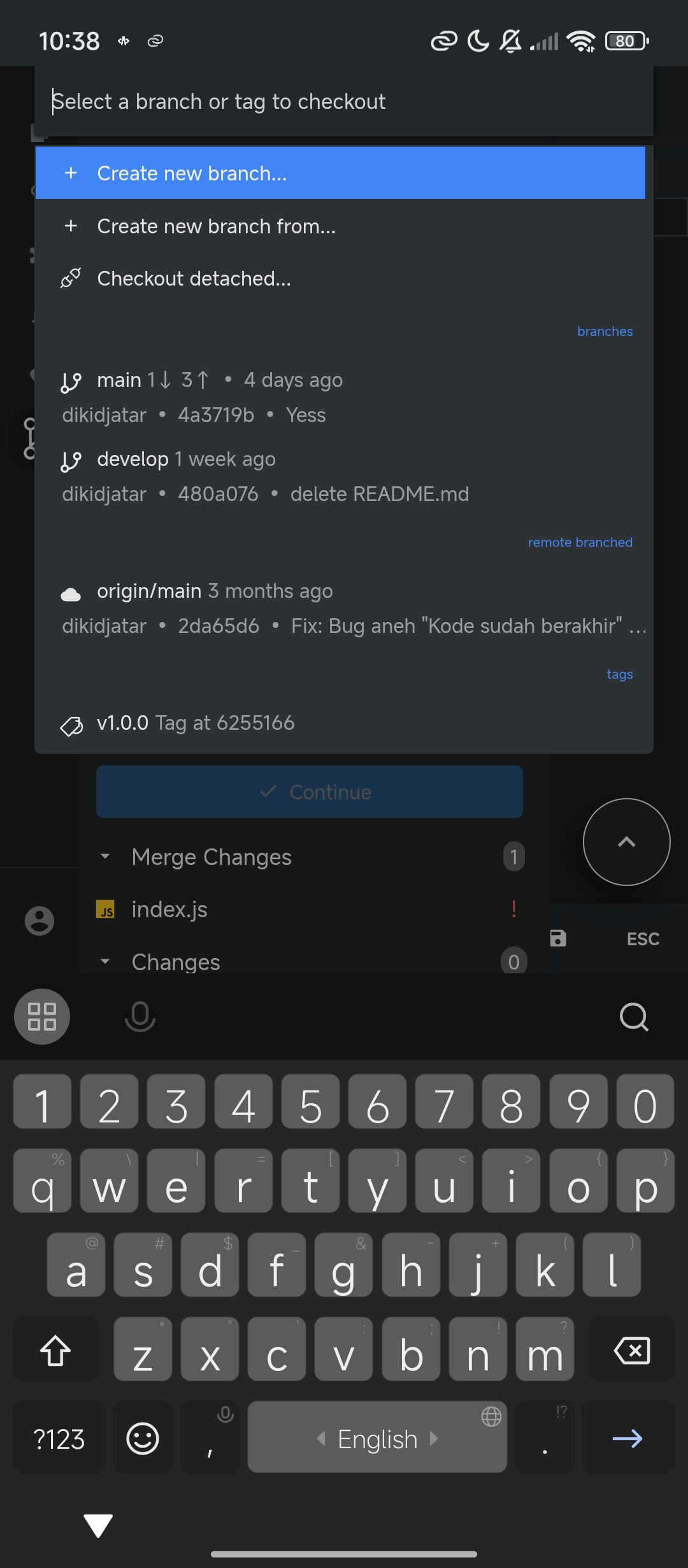
- Branches: Create, delete, rename, merge, rebase branches
- Remote Operations: Pull, push, fetch (with prune), sync (Pull & Push)
- History: View commit history
- Tags & Remotes: Tag and remote management
- File Decorations: Visual decoration in SCM panel and file explorer
- Editor Integration: Commit message editor opens in Acode (via IPC)
- Credential Management: Integrated askpass for authentication
- Multi-repository: Work with multiple Git repositories
- Status Bar: Quick sync actions and repository status
- Open Settings
- Select Plugins
- Search for "Git SCM"
- Tap Install
- Restart
The plugin follows a Shell → Parse → Render workflow. The same architecture as the VS Code Git extension:
flowchart LR
    A["⚡ Shell\nAcode Executor API"] --> B["🔍 Parse\nstdout/stderr\n→ Models"]
    B --> C["🖥️ Render\nUI · Views\nDecorations"]
| Stage | Responsibility |
|---|---|
| Shell | Execute Git commands via Acode Executor API |
| Parse | Process stdout/stderr into internal models |
| Render | Display models in UI (resource state, decorations, views) |
Access the Git API in Acode:
const gitPlugin = acode.require("git");
const gitAPI = gitPlugin.getAPI(1);

// Get repository
const repo = gitAPI.getRepository("/path/to/repositoy");

// repository status
await repo.status();

// Create a branch
await repo.createBranch("feature-branch", true);

// Commit
await repo.commit("Your commit message", { all: true });

// Push to remote
await repo.push("origin", "main");Access the SCM API:
const scm = acode.require("scm");

// Create a source control provider
const sourceControl = scm.createSourceControl("my-scm", "My SCM", "/public");

// Create resource groups
const changes = sourceControl.createResourceGroup("changes", "Changes");

// Add resources
changes.resourceStates = [
  {
    resourceUri: "/path/to/file",
    decorations: {
      strikeThrough: false,
    },
  },
];
See type definition files:
git.d.ts- Git API typessourceControl.d.ts- SCM API types
For complete API documentation, see DOCS.md.
| Setting | Description | Default |
|---|---|---|
enabled |
Enable/disable Git integration | true |
useEditorAsCommitInput |
Use Acode editor for commit messages | true |
decorationsEnabled |
Show file decorations | true |
autorefresh |
Automatically refresh repository status | true |
autofetch |
Automatically fetch from remote | true |
autofetchPeriod |
Fetch interval in seconds | 180 |
enableSmartCommit |
Commit all changes when nothing staged | false |
confirmSync |
Confirm before sync operation | true |
allowForcePush |
Allow force push operations | false |
💡 See all available settings in Acode → Settings → Plugins → Git SCM.
Press Ctrl+Shift+P and type Git to see all available commands:
View all commands
Git: Clone                   Git: Init
Git: Pull                    Git: Push
Git: Fetch                   Git: Sync
Git: Commit                  Git: Commit (Amend)
Git: Undo Last Commit        Git: Create Branch
Git: Checkout                Git: Merge Branch
Git: Rebase Branch           Git: Add Remote
Git: Stage All Changes       Git: Unstage All Changes
...
Contributions are welcome! Please feel free to submit a Pull Request.
This project (the Acode Git SCM integration using Executor) is licensed under the MIT License. See the LICENSE file.
Parts of this project are derived from or heavily inspired by the Visual Studio Code project and its Git extension:
- Visual Studio Code — https://github.com/microsoft/vscode
Copyright (c) Microsoft Corporation
Licensed under the MIT License.
The execution
layer has been reworked to use Acode Executor API rather than VS Code's
internal APIs.
- Issues: GitHub Issues
- Discussions: GitHub Discussions
- Email: dikidjatar@gmail.com
Happy coding ✨