






A desktop GUI for managing multiple AI coding assistant sessions across different projects in a single window. Supports Claude Code, Gemini CLI, Codex, and OpenCode.
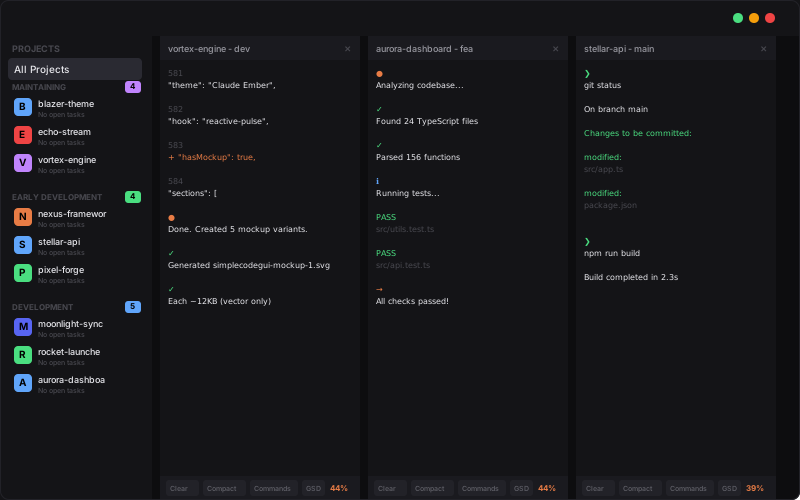
Stop juggling terminal tabs. Simple Code GUI lets you run AI coding assistants on multiple projects simultaneously, instantly resume past conversations, and switch between sessions with a click. Features voice input/output, image pasting, task tracking with Beads integration, and 9 color themes.
| Platform | Download |
|---|---|
| Windows | Installer (.exe) | Portable (.exe) |
| macOS (untested) | Apple Silicon (.dmg) |
| Linux | AppImage | .deb | .rpm |
| Arch Linux | yay -S simple-code-gui |
macOS: "App is damaged" error fix
This is macOS Gatekeeper blocking unsigned apps. Run:
sudo xattr -dr com.apple.quarantine "/Applications/Simple Code GUI.app"- Claude Code - Anthropic's Claude AI assistant
- Gemini CLI - Google's Gemini AI
- Codex - OpenAI Codex
- OpenCode - Open source alternative
- Tabbed Interface - Multiple AI sessions open simultaneously
- Session Resume - Pick up conversations where you left off
- Session Discovery - Auto-finds existing sessions
- Tiled View - See multiple terminals side-by-side (toggle with grid button)
- Workspace Persistence - Restores your open tabs and layout on restart
- Project Sidebar - Save and organize project folders for quick access
- Create Projects - Make new project directories without leaving the app
- Session History - Expand projects to see all past sessions with timestamps
- Project Icons - Custom emoji icons for each project
- Per-Project Settings - Override global settings per project (backend, permissions, voice)
- Run Executable - Launch your app directly from the sidebar
- Speech-to-Text - Whisper models for voice input (tiny to large)
- Text-to-Speech - Piper voices and XTTS voice clones for spoken responses
- Voice Cloning - Clone your own voice for personalized TTS
- Speed Control - Adjust TTS playback speed
- GPU Acceleration - WebGL-accelerated rendering for smooth terminal output
- Image & File Paste - Paste screenshots and copied files with Ctrl+V
- Drag & Drop - Drop files from file manager into terminal
- Smart Ctrl+C - Copies selection if text selected, sends SIGINT otherwise
- Right-Click Menu - Copy selection or paste with right-click
- Full Color Support - xterm-256color with 10,000 line scrollback
- 9 Color Themes - Including RGB Gamer mode with animations
- Settings Panel - Configure themes, permissions, backend, and voice
- Window Memory - Remembers size and position
- Task Panel - Manage project tasks without leaving the app
- Create Tasks - Add tasks with title, description, and priority
- Track Progress - Start, complete, and delete tasks
- Auto-Refresh - Task list updates automatically
- Auto-Install Dependencies - Installs Claude Code, Node.js, Git if missing
- Auto Updates - Downloads and installs updates automatically
- Cross-Platform - Windows, macOS (Apple Silicon), and Linux
git clone https://github.com/DonutsDelivery/simple-code-gui.git
cd simple-code-gui
npm install
npm run dev| Shortcut | Action |
|---|---|
Ctrl+C |
Copy selection (or SIGINT if no selection) |
Ctrl+V |
Paste text, files, or images |
Ctrl+Shift+C |
Copy from terminal |
Ctrl+Shift+V |
Paste to terminal |
F12 |
Toggle DevTools |
PolyForm Noncommercial 1.0.0 - Free for personal use. Commercial distribution requires permission from the author.