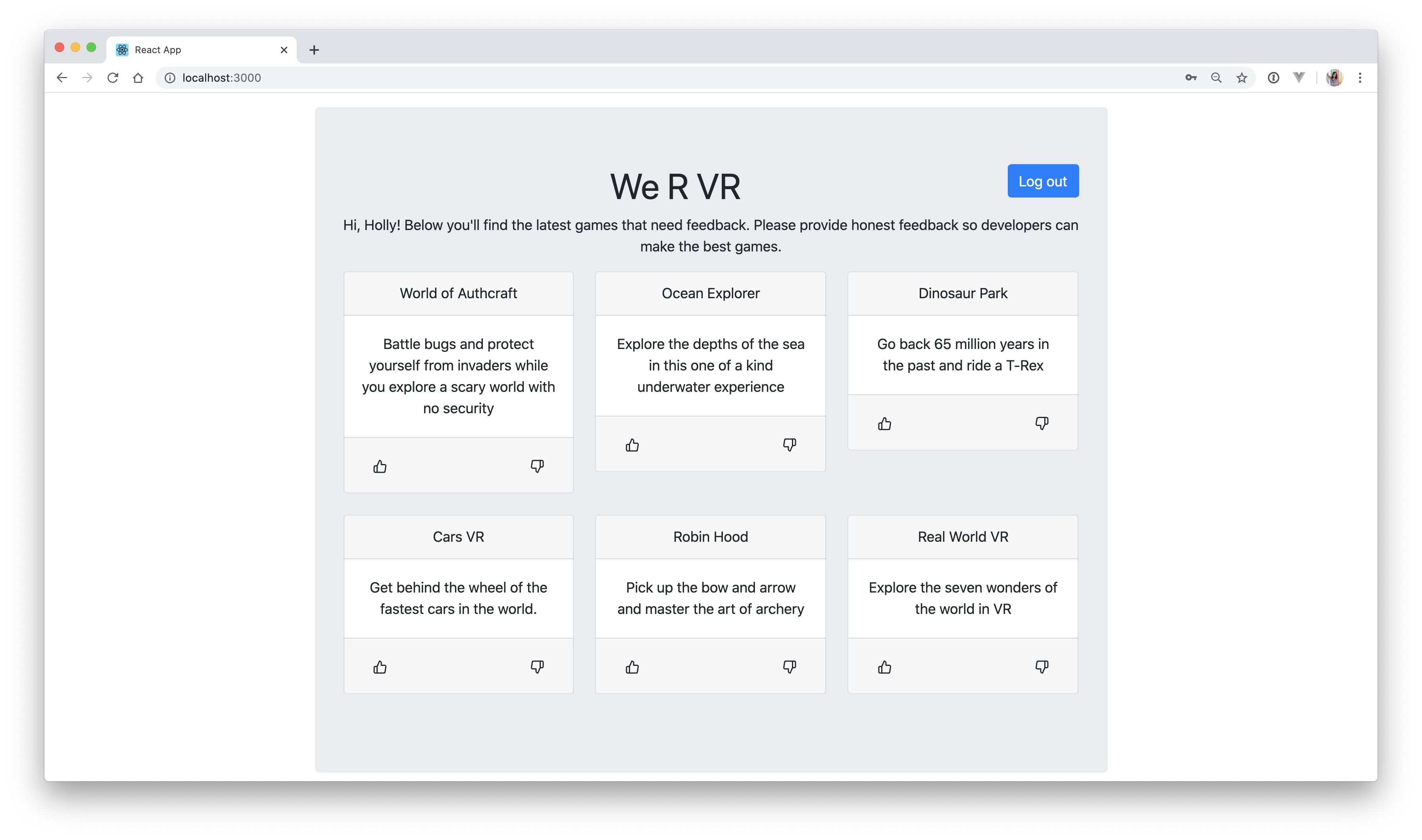
This application will show you how to build and secure a mock voting application. You'll create an API with Go and a frontend with React that will consume your API. You'll secure your API using Auth0 so that only authenticated users can access and vote on products.
🚀 Read the full tutorial here:
Authentication in Golang with JWTs
This demo uses:
Make sure you have Go installed before running the demo.
Clone and get dependencies
- Clone the repo with
git clone https://github.com/auth0-blog/go-react-vr-auth - Switch to the directory that holds the repo
cd go-react-vr-auth - Run
go getto grab the dependencies
Auth0 Setup
If you do not have an Auth0 account, sign up for one now.
- Navigate to the Auth0 management dashboard and click on Create Application. Name your application anything you'd like, select "Single Page Web Applications", and click Create.
- Click on Settings and fill in Allowed Callback URLs, Allowed Logout URLs, and Allowed Web Origins with
http://localhost:3000and then press Save changes. - Back in your code, create a new file to store some of these variables:
touch static/src/auth_config.jsonThen fill it in with:
{
  "domain": "YOUR_DOMAIN",
  "clientId": "YOUR_CLIENT_ID"
}
Update this with your own credentials. You can find them in your Auth0 dashboard application page that you just created.
- Now set up the Go API with Auth0. In the dashboard, click on APIs in the sidebar and then click Create API.
- Give it any name you'd like. For identifier, this can be anything, but for naming conventions we recommend a URL format (doesn't have to be a real URL). Leave Signing Algorithm as is and click Create.
- Update your
main.gofile with the required values from the Auth0 dashboard. There are 3 different spots that need to be updated:
// main.go
// ...
aud := "YOUR_API_IDENTIFIER"
// ...
iss := "https://YOUR_DOMAIN/"
// ...
resp, err := http.Get("https://YOUR_DOMAIN/.well-known/jwks.json")
// ...
Your Identifier is listed on the Settings tab of the API you just created in the dashboard. To find YOUR_DOMAIN, click on the Quick Start tab and scroll down to the code snippet. Copy the value for options.Authority and use that to replace YOUR_DOMAIN. Make sure you keep the trailing slash for iss in main.go.
Run React
- Open a new terminal tab and switch to the React directory and then pull in the required dependencies
cd static
npm install- Start your React application
npm startRun Go
- In a separate terminal tab, grab the dependencies
go get- Build and run your Go application:
go run .💥 Navigate to http://localhost:3000 to see it in action! 💥