Pages, Universes & Blogs (PUB): An static site generator (SSG) using VitePress and customized with OnMind theme shared for several projects. Thinking in a CMS (Content Management System) for super simples but powered sites.
You can add .md (Markdown) files under sites/*/docs or change this by setting the environment variable PUB_SOURCE (and PUB_ROOT)
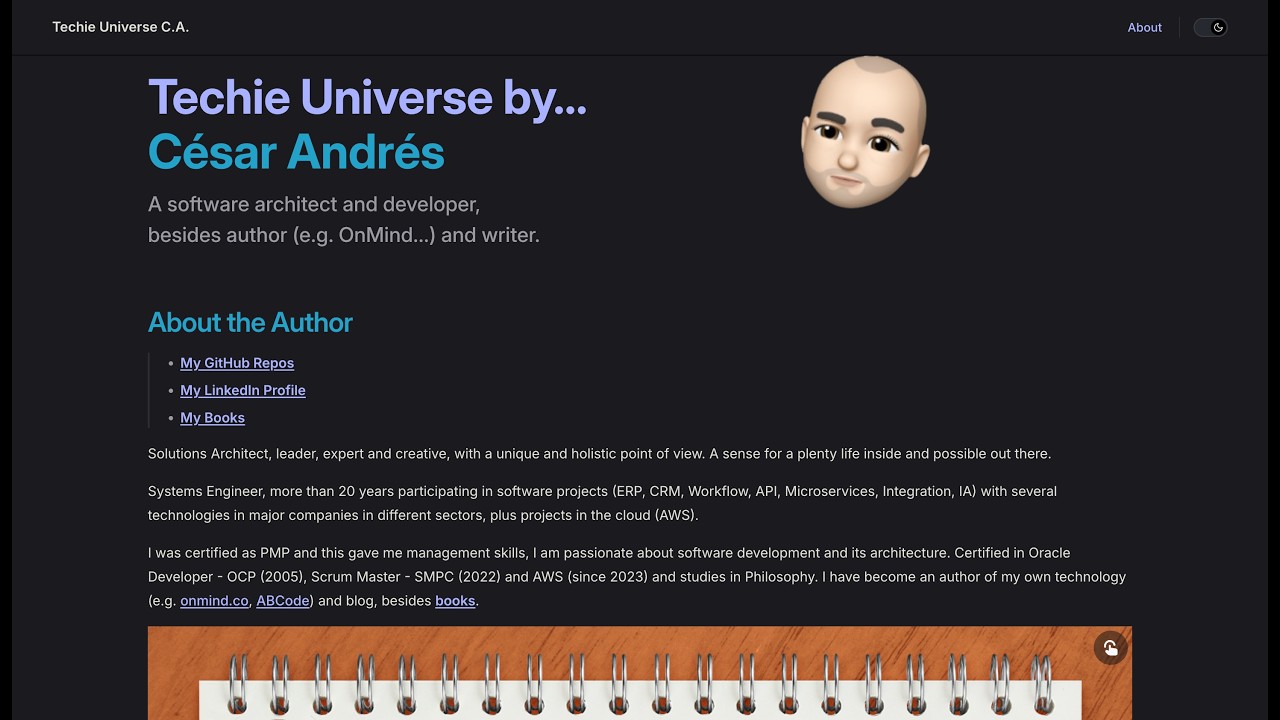
Before, I tried with several technologies like NextJS, NuxtJS, 11ty (Eleventy), Astro Starlight, Hugo (even my own CMS inside OnMind platform), I found VitePress great fit because I want simplicity (and DX) to generate static sites fast with good look and standards for web (e.g. JAM Stack & Vite).
- Focus in several subprojects of content.
- Shared custom theme.
- Tasks (e.g. init, index, publish).
- Web components.
- Some style.
- Bun environment (optional but preferable).
- Workflow proposed.
Bun is just a way to run Javascript in the terminal with better performance.
To install Bun for macOS/Linux run:
curl -fsSL https://bun.sh/install | bash
To install Bun for Windows run:powershell -c "irm bun.sh/install.ps1 | iex"
Once you donwload and setup the project, you can think in a workflow where the files are edited in a tool like Obsidian (or another Markdown editor), then you cand build the project and check with preview mode, finally publish the changes (in remote repository or deploy it). This is:
init~>open-editor~>edit~>index~>build~>preview~>publish
- Initialize the new content project (under
sitesfolder) - Open a vault or folder in Obsidian (or another Markdown editor)
- Edit or write your content with Markdown syntax
- Index the content (it is launched internally with build step also)
- Build to generate the output or distribution files
- Preview the content project
- Publish the content project (Cloudflare Pages)
It's important for commands, consider to use macOS, Linux, bash or WSL (Windows Subsystem for Linux)
This project is based on VitePress v1.6 and keep its features but is focused in several subprojects of content. Its directories tree looks like this:
  ______
./ pub /
├─ common
│  ├─ .vitepress
│  │  ├─ snippets
│  │  ├─ theme
│  │  │  └─ index.js
│  │  └─ config.mjs
│  └─ index.md
├─ sites
│  └─ blog
│     ├─ .vitepress
│     │  ├─ theme
│     │  │  └─ index.js
│     │  └─ config.mjs
│     ├─ docs
│     │  ├─ public
│     │  │  ├─ _index.json
│     │  │  ├─ _favicon.ico
│     │  │  └─ page/
│     │  └─ index.md
│     └─ package.json
├─ task
│  ├─ initialize.js (init)
│  ├─ indexing.js (index)
│  ├─ publish.js (publish)
│  ├─ zipping.js (zip)
│  ├─ toc.js (toc)
│  └─ pdf.js (pdf)
└─ package.json
Note that the
commonfolder is for share thethemeandsnippets(web components).
Insidesitesfolder, thedocsfolder contains the Markdown files, and it also haspublicassets (e.g.pageforhtml, etc.)
- Clone the repository:
git clone https://github.com/kaesar/onmind-pub.git pub - Open the folder and install modules, e.g.:
cd pub && bun install - Write your content starting with
sites/blog/docs/index.md(whereblogis your first site) - Generate static files, e.g.:
cd sites/blog && bun run docs:build - Check with local preview:
bun run preview
You can use
npminstead ofbun.
Forbun, check if it is installed or run:curl -fsSL https://bun.sh/install | bash
- There is a task called
initto initilize new project undersitesfolder. - There is a task called
indexto generatepublic/_index.jsonfile. For example:bun run index. - There is a task called
publishto upload the site to Cloudflare Pages - There is a task called
zipto compress the project in asite.zipfile (for other hosting). - There is a task called
tocto generate TOC file. - There is a task called
pdfto generate PDF from the site.
Each site builds into sites/<site>/.vitepress/dist. To publish it to Cloudflare Pages run, from the site folder:
bun run docs:publishThis calls wrangler pages deploy with the project name taken from the site's .env (PUB_CF_PROJECT). You need a Cloudflare API token in the environment:
export CLOUDFLARE_API_TOKEN=your_tokenOptional variables in the site .env:
| Variable | Meaning |
|---|---|
PUB_CF_PROJECT |
Cloudflare Pages project name (defaults to the site folder name) |
PUB_CF_BRANCH |
Branch/preview name passed to wrangler (e.g. main) |
Publishing requires the
distfolder, so rundocs:buildfirst (or it fails with a clear message).
The Userbase auth SDK is not injected by default. To enable it on a specific site, set PUB_USERBASE in that site's .env:
PUB_USERBASE=1Without it, no third-party script is loaded and protected pages (hide: 1/hide: 2 in frontmatter) simply stay blurred or redirect, since no session exists.
The cui.js (OnMind-CUI) is the shared web component library that all sites depend on. It has automatic dark/light mode via VitePress/Astro/system preference and provides:
- Form components:
as-form,as-input,as-select,as-checkbox,as-switch,as-date,as-time,as-complete,as-upload,as-radio,as-text - Layout/Modal:
as-modal,as-box,as-cover - Data display:
as-index,as-datagrid,as-image,as-video,as-embed - Interaction:
as-button,as-confirm,as-event,as-popup
Single source of truth: common/public/cui.js (built from OnMind-CUI repo).
Build-time distribution: build-site.js copies common/public/cui.js → sites/<site>/docs/public/cui.js for each site.
Runtime: The shared theme (common/.vitepress/theme/index.js) injects <script type="module" src="/cui.js"> in <head>, registering all <as-*> custom elements globally.
Edit
common/public/cui.js(rebuild CUI first) — the copies undersites/*/docs/public/cui.jsare generated artifacts.
The navigation and sidebar are generated centrally from per-site data:
- Nav: Global
Homelink + per-site items fromsites/<site>/.vitepress/site.config.js - Sidebar: Auto-generated from
_index.jsongrouped by language (/en/,/es/) and category
Per-site data lives in sites/<site>/.vitepress/site.config.js:
export const nav = [
  { text: 'About', link: '/about' }
]
Site config uses the shared helpers:
import { buildNav, buildSidebar, srcDir, search, head, vueOptions } from '../../../common/.vitepress/site-config.mjs'

export default defineConfig({
  title: "My Blog",
  srcDir: srcDir,
  themeConfig: {
    nav: buildNav(),
    sidebar: buildSidebar(process.env.PUB_ROOT),
    // ...
  },
  head: head,
  vue: vueOptions
})
How it works:
| Layer | Responsibility |
|---|---|
common/.vitepress/site-config.mjs |
buildNav(), buildSidebar(), shared srcDir, search, head, vueOptions |
sites/<site>/.vitepress/site.config.js |
Only data — nav array (per site) |
sites/<site>/.vitepress/config.mjs |
Imports helpers, calls buildNav(), buildSidebar(process.env.PUB_ROOT) |
build-site.js |
Copies cui.js, sets PUB_ROOT/PUB_SOURCE, runs index + build |
Sidebar behavior:
- Reads
_index.json(generated byindextask) - Groups by language (
/en/,/es/) and category - Returns VitePress multi-language sidebar config
- Falls back to empty array (VitePress auto-generates from filesystem) if
_index.jsonmissing
The
inittask createssite.config.jswith a defaultnaventry. Edit it to customize your site's navigation.
You can change the sites/blog/docs folder by using another path. First include a .env file and the PUB_ROOT variable like this:
PUB_ROOT=sites/blog
PUB_SOURCE=/docs
Then, set the variable in the environment. Example for macOS, Linux, bash, WSL:
export $(grep -v '^#' .env | xargs)Or just set this directly from command line with:
export PUB_ROOT=sites/blog && export PUB_SOURCE=/docs
For Windows use thesetcommand, e.g.:set PUB_ROOT=sites/blog
sites folder is the main for content projects. Inside sites folder you can imagine a key files that can be expresed with sentences, for example, if you have a sites/blog folder this could mean the following:
mkdir sites
mkdir -p sites/blog
mkdir -p sites/blog/.vitepress
mkdir -p sites/blog/.vitepress/theme
mkdir -p sites/blog/docs
mkdir -p sites/blog/docs/public
To get this instead...
You can initilizae a new site just executing:
bun run initOnce you have files like index.md, config.mjs and index.js inside sites/blog you can execute:
bun run docs:devYou can use
npminstead ofbun.
Forbun, remember check if it is installed.
Essentialy, in your content folder, for example sites/blog, you have al least the next files:
sites/blog/docs/index.mdsites/blog/.vitepress/config.mjssites/blog/.vitepress/theme/index.jssites/blog/package.json
Additionaly, you can have a
.envfile withPUB_ROOTandPUB_SOURCEvariables and runexport $(grep -v '^#' .env | xargs)from a bash terminal
Inside the sites/*/docs folder we can put an index.md like this:
---
layout: home

hero:
  name: "My Blog"
  text: "This is a nice place"
  tagline: Your another line here
  actions:
    - theme: brand
      text: About
      link: /about
---
<as-index src="/_index.json" filtering title="Articles" />
Note that
<as-index>is a web component from OnMind-CUI (cui.js) — it provides search, tag filtering, and language filtering out of the box.
For every project folder under sites, you can add the .vitepress/config.mjs file like this:
import { defineConfig } from 'vitepress'
import { srcDir, nav, search, head, vueOptions } from '../../../common/.vitepress/config.mjs'

export default defineConfig({
  title: "My Blog",
  description: "This is a nice place",
  srcDir: srcDir,
  themeConfig: {
    nav: nav,
    sidebar: [],
    aside: true,
    search: search
  },
  head: head,
  vue: vueOptions
})
Note that this import
srcDir,nav,search,headandvueOptionsfrom the common theme configuration.
Remember changetitleanddescription.
It's important to check that you get the custom theme by OnMind from common, including a .vitepress/theme/index.js file like this:
import theme from '../../../../common/.vitepress/theme/index.js';
export default theme;Additionaly, you have package.json file inside the content folder like this:
{
  "type": "module",
  "scripts": {
    "start": "vitepress dev",
    "docs:dev": "vitepress dev",
    "docs:build": "bun ../../task/build-site.js <site-name>",
    "docs:preview": "vitepress preview",
    "docs:publish": "bun ../../task/publish.js <site-name>",
    "docs:pdf": "press-export-pdf export ./"
  },
  "devDependencies": {
    "inquirer": "^12.0.0"
  }
}
Translate
<site-name>as your site folder name (e.g.blog,know).
Each site includes a pub.js script that presents an interactive menu of the available actions using Inquirer.js. From the site folder, run:
bun pub.jsWhen you executes, this shows a selectable list of the scripts defined in the site's package.json
The
pub.jsfile is generated automatically when you create a new site withbun run init
Runbun installinside the site folder first to installinquirer