Python C/C++ Interoperable Computer Vision Engine
Development status: completed.
Gets the Game Window: gets the X11 Window Resource ID of the Game Window. The implementation is based on Xorg's xwininfo but tailored for the demo that only has the bare minimum code to retrieve the Window ID by clicking the Game Window with the mouse.
Tracking-Player from Python: from the onset I have verified that the engine can be called from Python with little ceremony.

Heartbeat: The python orchestrator now has a steady heartbeat running at 30 FPS by leveraging the time utilities that the C/C++ engine provides. The point here is to keep the Python code simple and unaffected by implementation changes of the core engine.

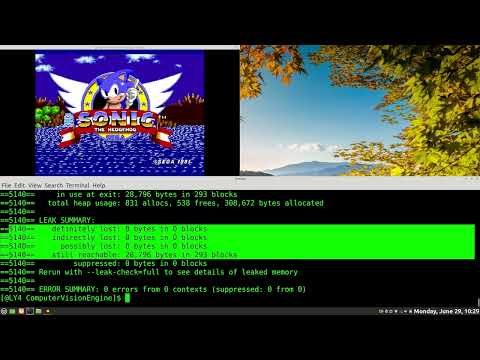
memory-leaks: addresses memory leaks by storing the heap allocated data that Xlib requires in the engine memory map structure (commit hash: 72dc36461db1088b604d6476e32a51aa1e5a0b1d).
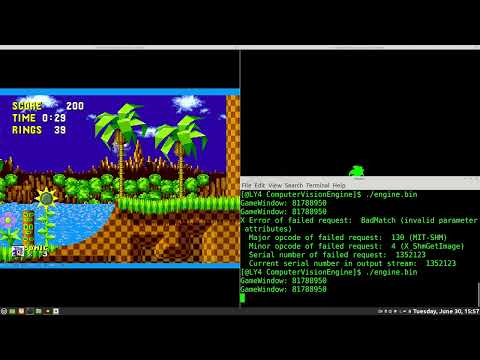
fixed memory-errors: fixed an unexpecated shared-memory error that occurred when calling XShmGetImge in the EngineUpdateAndRender function. At first this can be surprising because no errors were detected during initialization while executing EngineInit function. The problem was that the shminfo structure is bound to the scope of the function EngineInit so scopying the data into engine struct map was not enough (this is not a pointer). The solution was to work directly with the shminfo data member of struct map.
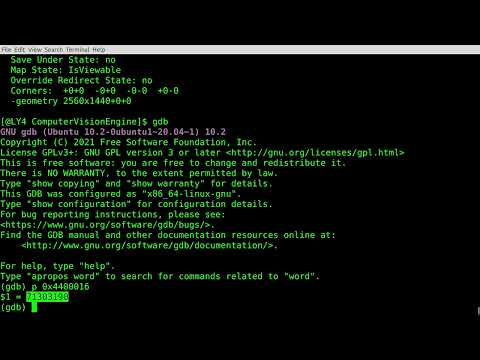
fixed Xlib errors: XPutImage was failing generating a BadMatch or BadValue (really does not matter because in this case they are not so specific as to know what's wrong). The problem was that the default Graphics Context (GC) could not handle a 32-bit depth and so had to use a 24-bit depth as I was doing in the original code for the computer vision engine. After calling XCreateImage for the output window of the engine with a 24-bit depth there were no more errors. The lesson is to leave a note if I am going to deviate from what has been proven to work so that I can pinpoint potential errors like this one later on. Nevertheless, using GDB to check the values that the engine passes to XPutImage made me realize that the problem had to be the graphics context.
tracks player: at this point the original engine code has been integrated and so the engine tracks the player in real-time at 30 FPS (and this is possible even if we don't enable compiler optimizations).
optimizations: by reducing the amount of the initialization work that the engine has to do to prepare its data structures the engine can now run on larger framebuffers while reaching the target 30 FPS. The demo video shows the engine compiled without runtime checks and O2 level optimizations turned on.
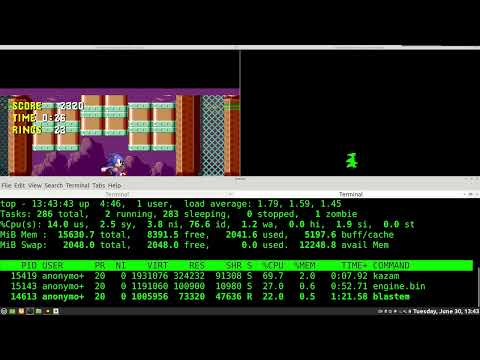
fullscreen mode: added support for toggling fullscreen mode of the output window of the engine. The framerate does not drop because of the optimizations that were already in place before adding this feature. Basically we only send the pixels that comprise the player which is only a fraction of the framebuffer so it's bound to be fast. This is why I was not expecting a framerate drop after adding this feature.
beyond the sandbox: the following video shows the ability of the engine to track the player (sonic) in other installments of the game series. As a gamer that grew up playing these games I am glad that they kept the colors that makeup sonic consistent.
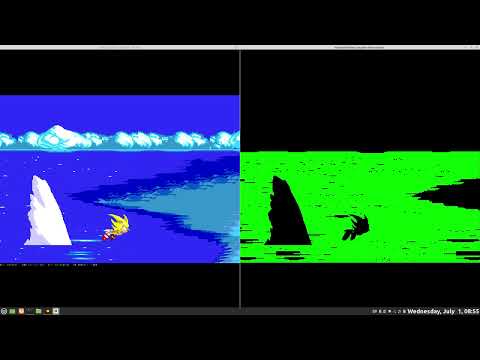
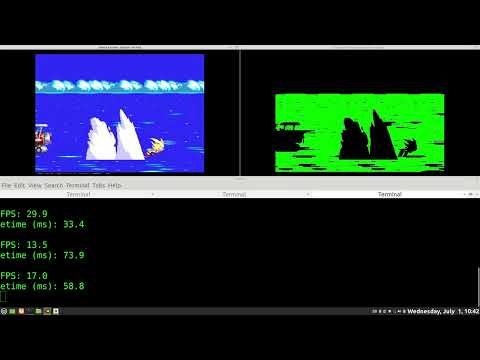
pushing the engine to its limits: the following video shows the framerate drop (from 30 to 15 FPS) when the engine detects the sea in the background for the player. However this also tells us about the robustness of the detection algorithm because what you see in green is a single super cluster (not a collection of disjoint clusters). We can address the framerate drop by using shared-memory region with the xserver as it is done for capturing the game framebuffer however I am not going to implement that because it is outside of the project scope. Only profiling would show how much time is required to merge the blue pixels into a super cluster to determine if the framerate drop can also be attributed to its implementation.
To build the standalone C/C++ code:
g++ -DDEVBUILD=1 -Wall -Wextra -Wformat -O0 -gdwarf-4 -g engine.cpp main.cpp -o engine.bin -lX11 -lXextAnd to build the interoperable library:
g++ -DDEVBUILD=1 -fPIC -Wall -Wextra -Wformat -O0 -gdwarf-4 -g -shared engine.cpp -o engine.so -lX11 -lXextif you wish to compile the production code set DEVBUILD to zero or simply omit it from the command-line string.
For optimized builds with performance stats reporting use the command-line:
g++ -DDEVPERF=1 -O2 -gdwarf-4 -g engine.cpp main.cpp -o engine.bin -lX11 -lXextsimilarly to build the Python C/C++ interoperable backend use the following command-line:
g++ -DDEVPERF=1 -fPIC -O2 -gdwarf-4 -g -shared engine.cpp -o engine.so -lX11 -lXextthese disable (development) runtime checks and enable O2 level optimizations.
To run from Python, copy the source code
import ctypes

engine = ctypes.cdll.LoadLibrary("./engine.so")

# initializes engine
engine.EngineInit.restype = ctypes.c_void_p
base = engine.EngineInit()

# engine-loop fixed framerate
while True:
    engine.EngineTime(ctypes.c_void_p(base))
    if engine.EngineUpdateAndRender(ctypes.c_void_p(base)) == 0:
        break
    engine.EngineDelay(ctypes.c_void_p(base))

engine.EngineFree(ctypes.c_void_p(base))
and store it in the file track-player.py.
Here you see my philosophy for writing interoperable code. If you own the library you are free to keep all the complexities in the library code and only use Python as the orchestrator. The advantage is that you don't need to change your script if you change the engine's implementation as long you return the base memory address to the script so that it can pass it to engine calls. When would you appreciate this architecture? If you have your django backend already and it's a big codebase (you are already invested) and you just want an endpoint to process data at speeds close to the bare metal.
To run the script:
python3 track-player.py