A work in progress, DJ mixing webapp with streaming support, where the UI runs on your browser.
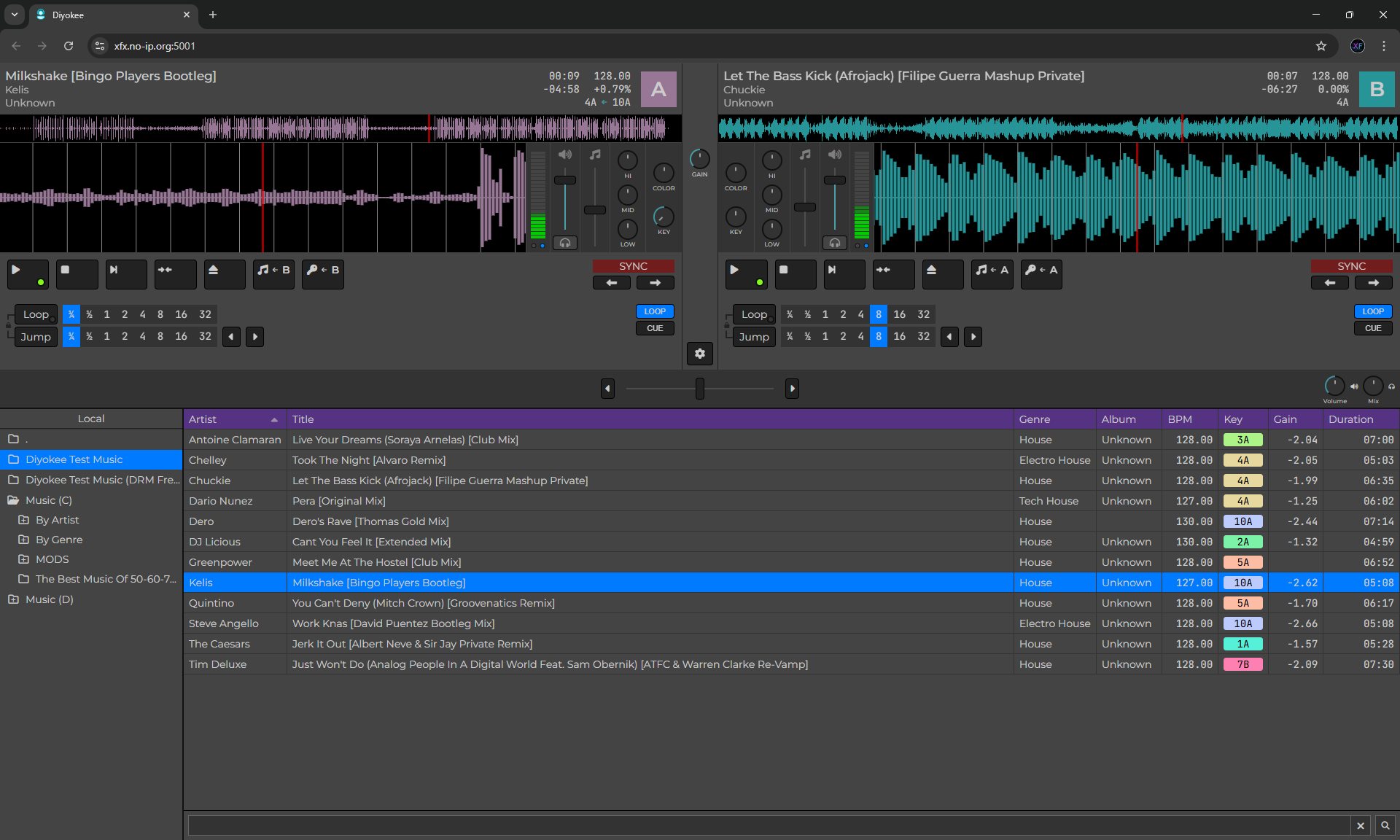
The controls are the usual ones. What is worth knowing:
- Load a track by dragging it onto a player or selecting it and clicking
 , or with
 Shift+Ctrl+A/Shift+Ctrl+B.Shift+Ctrl+Sopens Settings. - Holding
Shiftsuppresses beat snapping wherever it would otherwise apply - setting the cue, jumping, dragging the playhead. - Faders and knobs take the scroll wheel as well as click and drag.
- Right-click the Eq control for presets from popular mixing consoles.
- The
 button sets the deck's single cue point; hold
  to play from it. The Cue tab keeps as many named cue points as you like.
 - Use the Jump and Cue buttons to switch between the Loop/Jump and Cue tabs.

- The search box under the file list is recursive and matches file names.
- Drag the synced waveform to scratch. Touch and release behaviour is under Settings > Playback.
- Double-click a track for Track Properties.

- In Track Properties, the Grid row edits the track's beat grid:
- Edit - drag any beat line onto the audio it belongs on. Hover a beat and click + to pin it as a reference; nothing before a reference can move.
- Auto - measures the track and corrects the grid for you, including the BPM if that was the error. It leaves the track alone when it cannot follow it.
- Reset - undo every grid change.
- MIDI controllers are configured under Settings > MIDI: pick the device, then build a profile for it.

See KNOWN-ISSUES.md.
| Platform | Architecture | Status | Download | Release Date |
|---|---|---|---|---|
| Windows | x64 | Working |  |
2026-09-17 |
| Linux | x64 | Working | |
2026-09-17 |
| Linux | Arm64 | Working | |
2026-09-17 |
| MacOS | x64 | Working1 | |
2026-09-17 |
| MacOS | Arm64 | Working1 | |
2026-09-17 |
This project wouldn't have been possible without the following:
- BASS audio library
- AspNetCore.SassCompiler
- BlazorExtensions.Canvas
- Icons8
- Font Awesome
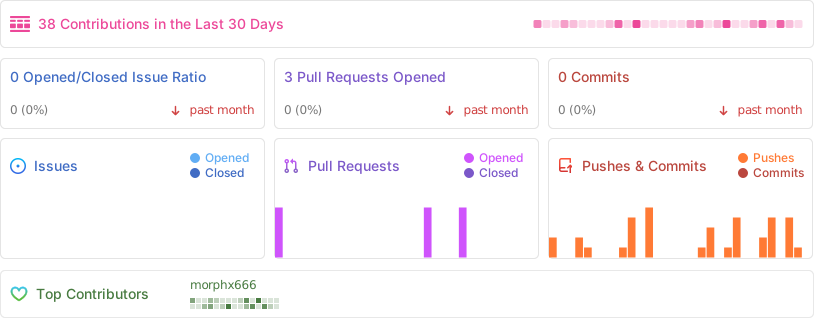
Is there anyone insterested in this? Hello!? Anyone?
Footnotes
-
Before running the program, open a Terminal and change to the directory where you unzipped the file (usually
~/Downloads/diyokee-osx-x64).
Next, run the script:./pre-run.sh.
Now, you can launch the app by double-clicking theDiyokee-serverfile in the Finder or by running./Diyokee-serverfrom the Terminal. ↩ ↩2